Pricing without guesswork
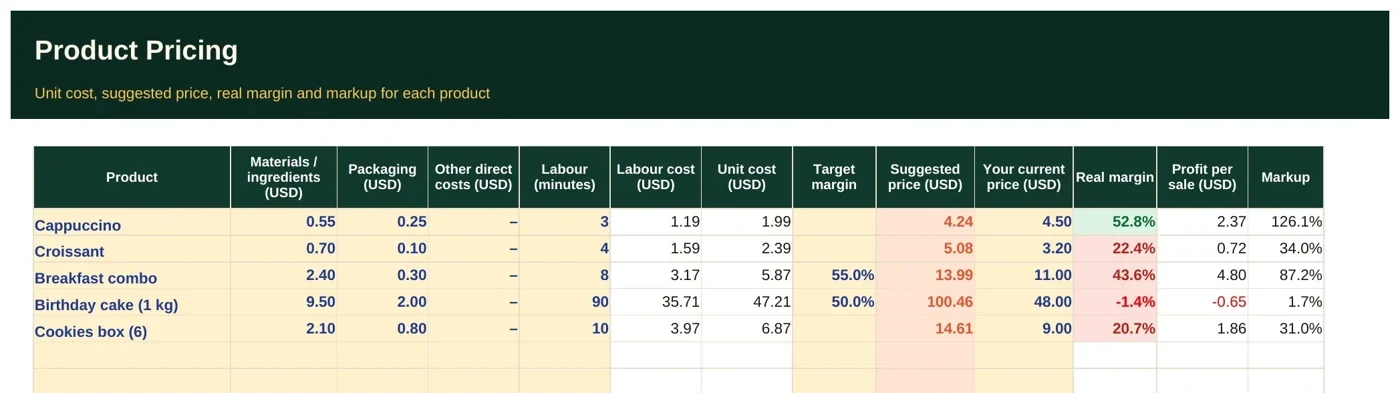
The screenshots show the built-in example, a small café, so you can see how it works before you type your own numbers.
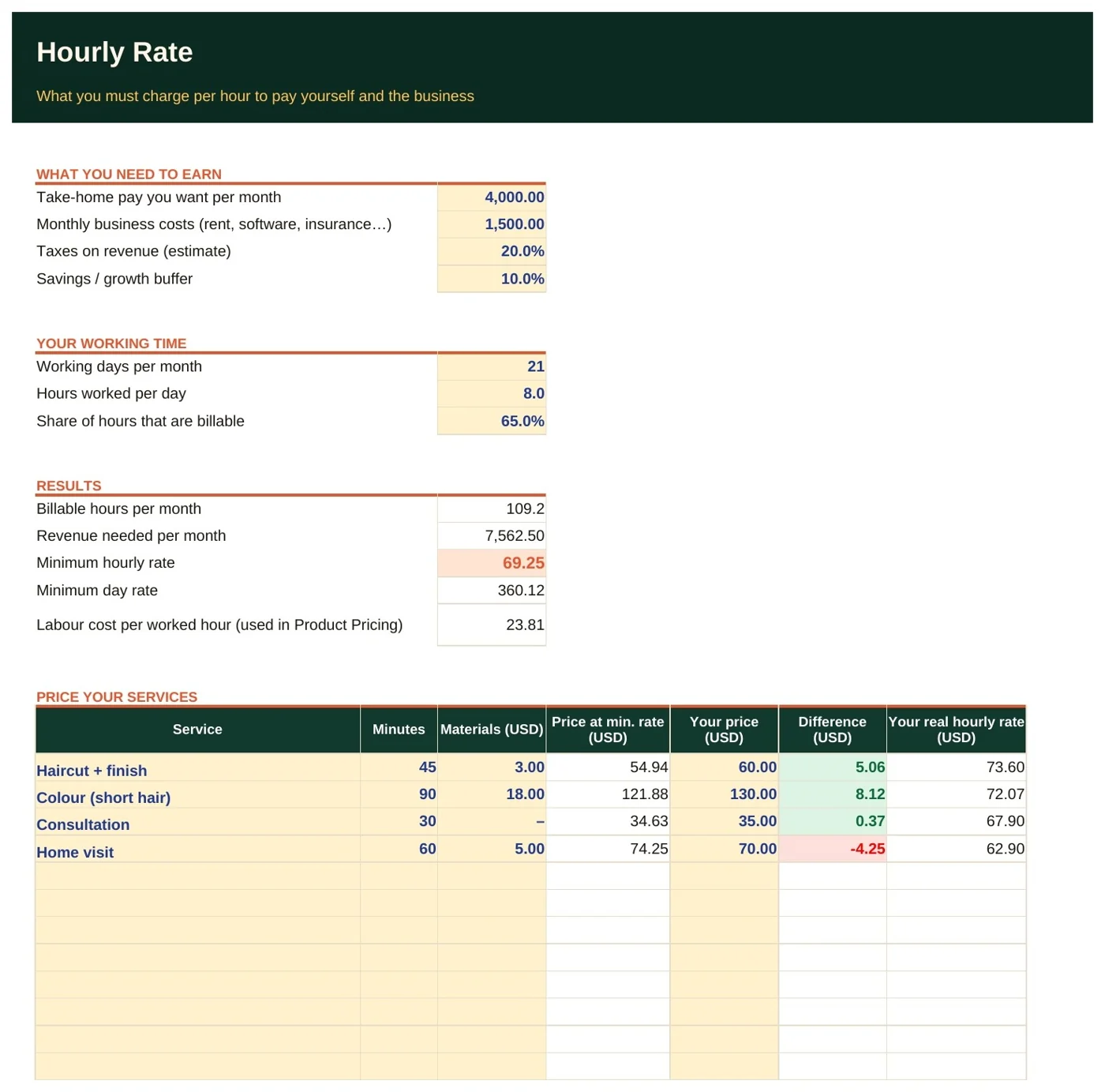
What do I need to charge per hour?
Type the pay you want, your monthly costs, a tax estimate and the hours you really work. You get your minimum hourly and day rate, and every service price is checked against it: green covers your rate, red is below it.
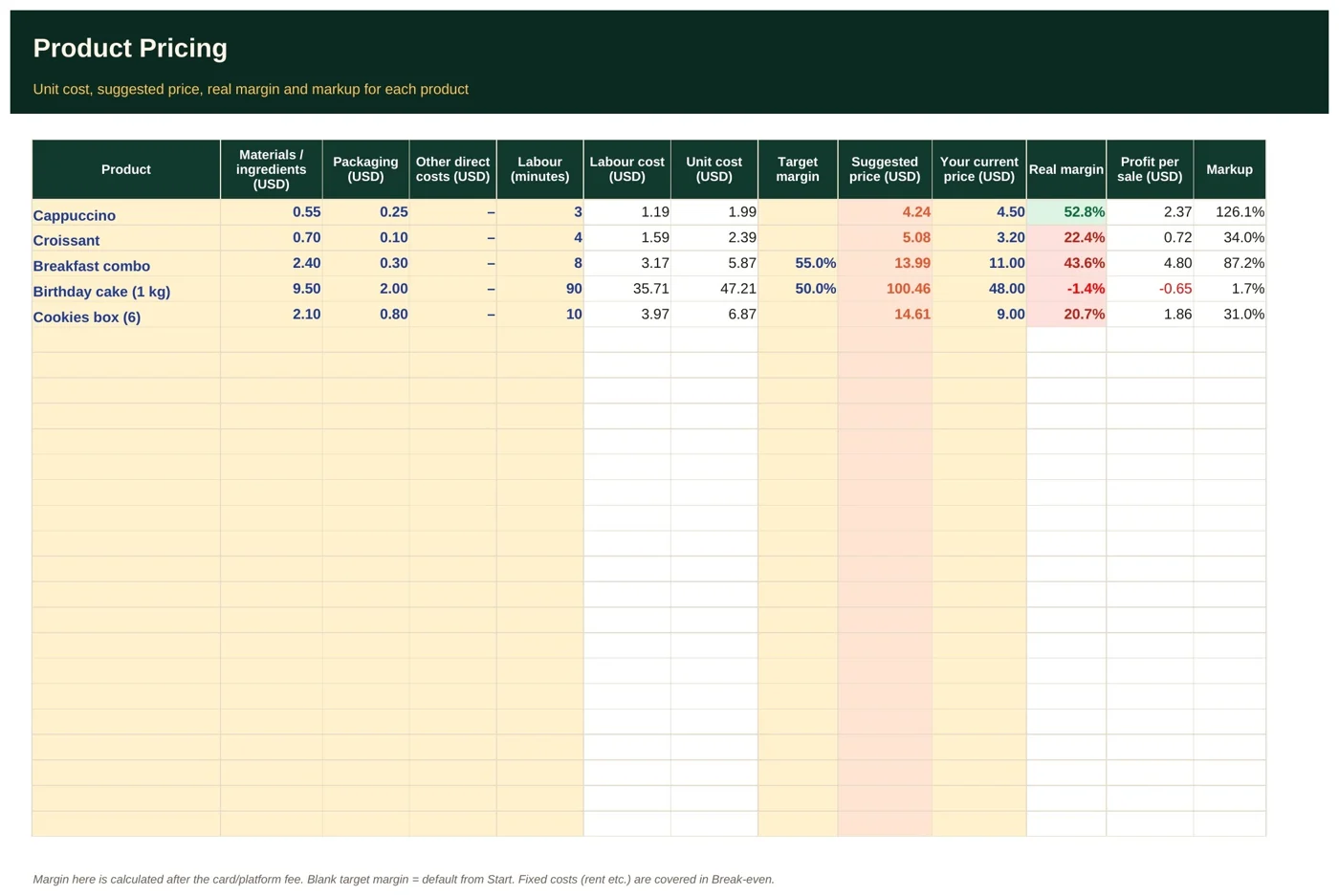
What should this product cost?
Materials, packaging and minutes of work go in. Out come your unit cost, the suggested price for your target margin, the real margin of today’s price, profit per sale and markup, for up to 25 products.
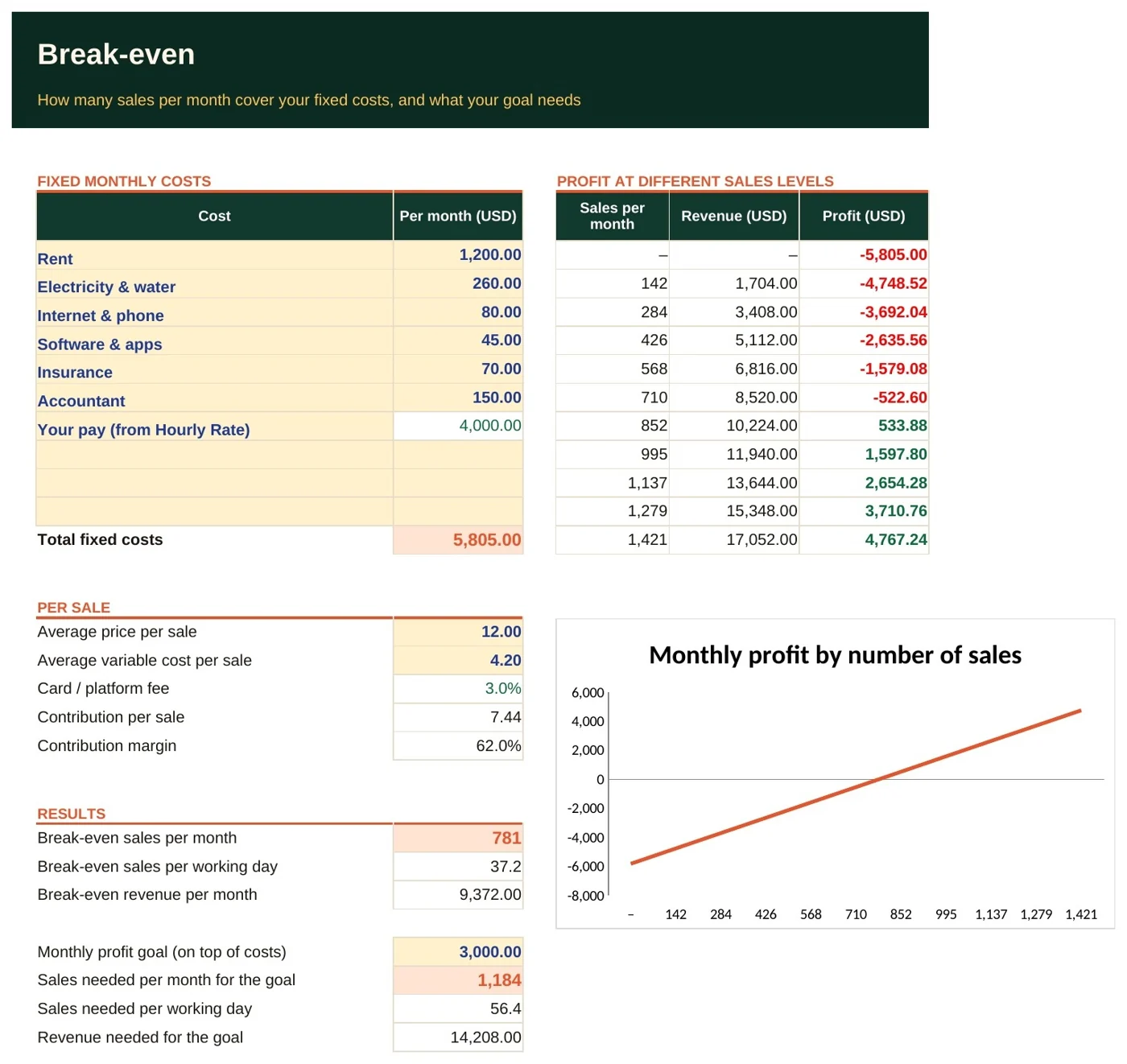
How many sales until I stop losing money?
List rent, bills and your own pay. See break-even sales per month and per working day, the sales your profit goal needs, and a chart of profit at every sales level.
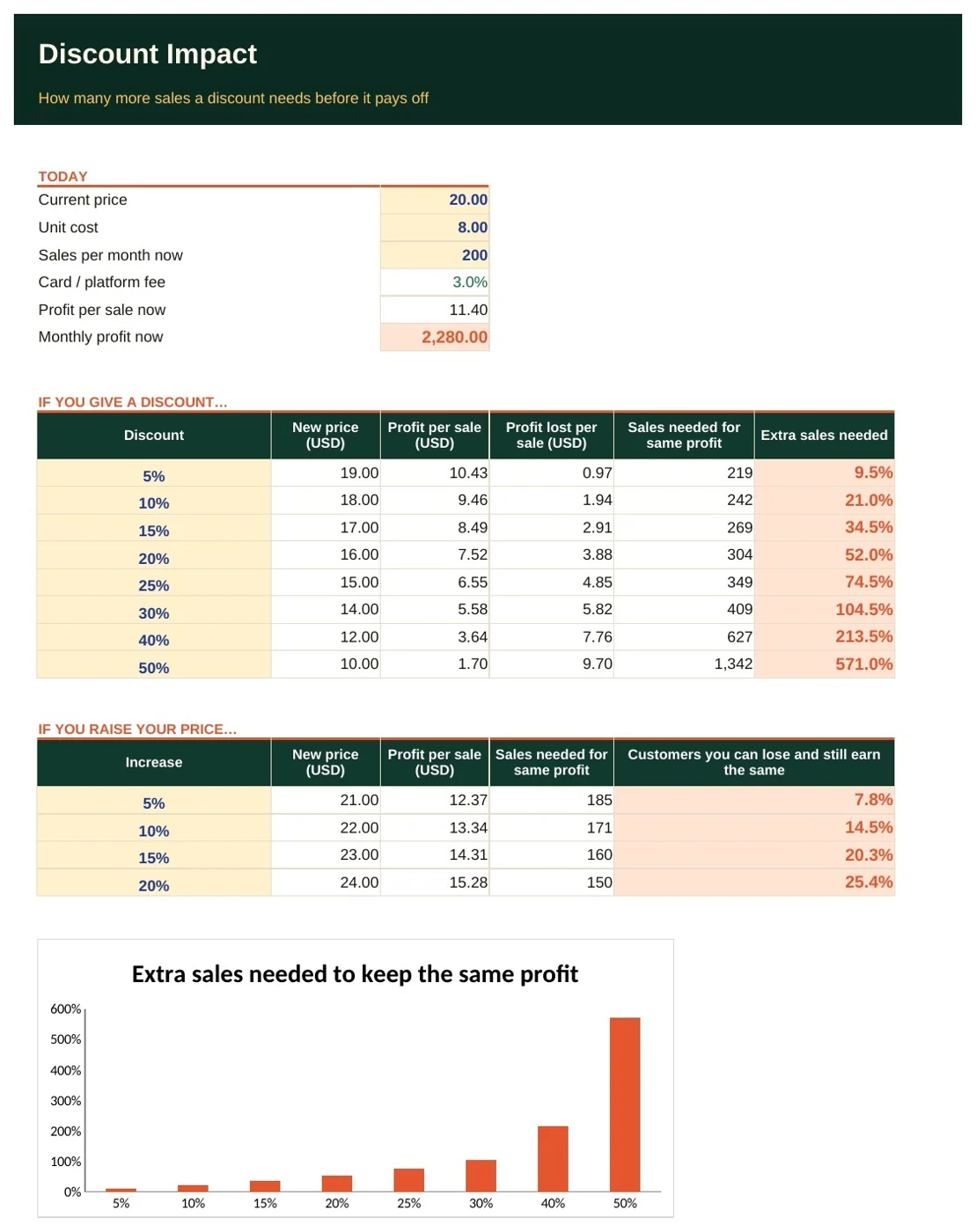
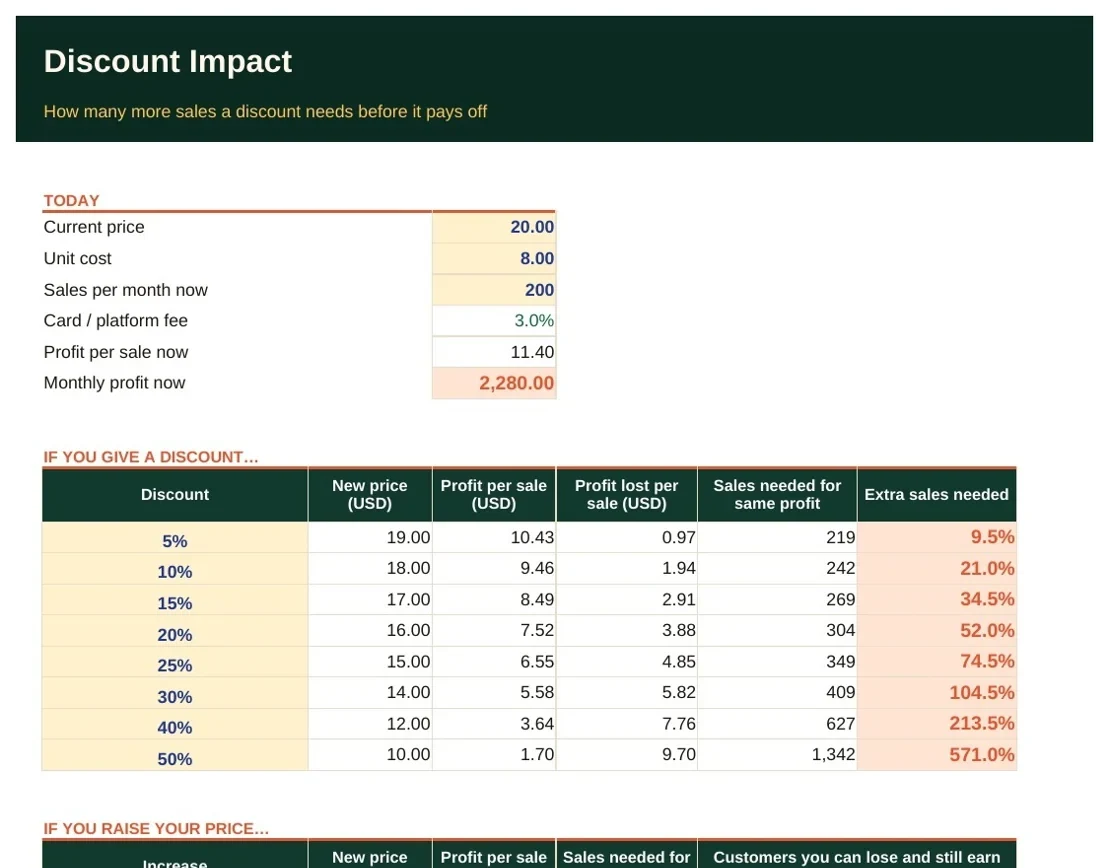
Is this discount worth it?
For 5% to 50% off, see the new profit per sale and how many more sales you need just to stay even. A second table shows how many customers you could lose after a price rise and still earn the same.
The discount trap, in numbers
From the example in the sheet: a US$20 product that costs US$8, with a 3% card fee and 200 sales a month.
Your numbers will differ; that is the point of the sheet.
- Pricing-Profit-Sheet-EN.xlsx: the workbook, five tabs
- Planilha-Precificacao-PT.xlsx: the same workbook in Portuguese
- LibreOffice/: .ods copies of both
- Guide-EN.pdf and Guia-PT.pdf: 4 pages each, every calculator explained
Opens in:
- It’s a calculator: your results are only as good as the costs you type in.
- Tax is a simple estimate; rules differ by country, so check with an accountant.
- There’s no Google Sheets “copy” link: you import the .xlsx (it takes a few seconds).
- No promise of profit: it shows you the numbers so you can decide.
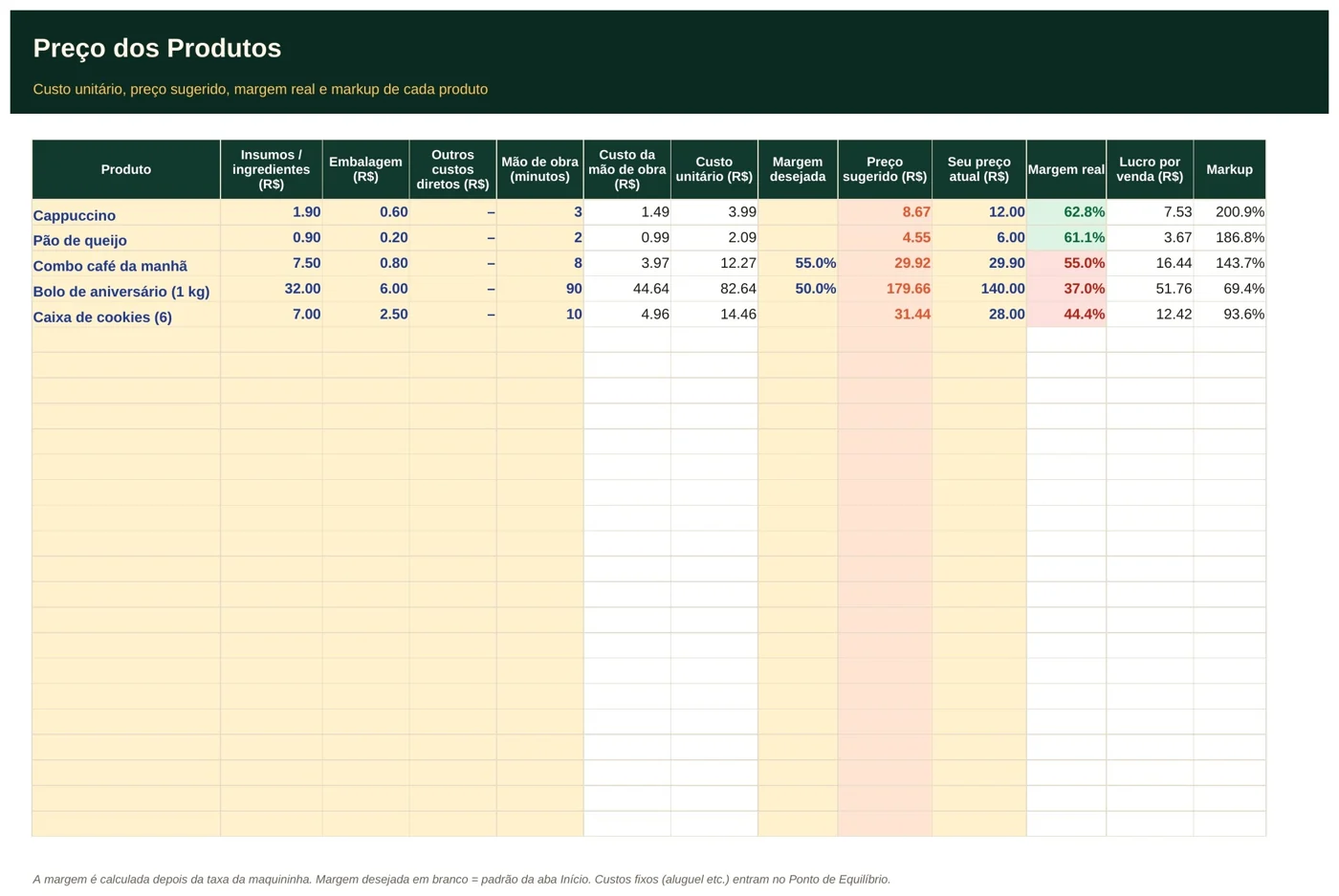
Planilha de precificação em português, inclusa
A mesma planilha com abas em português (Valor da Hora, Preço dos Produtos, Ponto de Equilíbrio, Impacto do Desconto), taxa da maquininha e moeda em R$. Guia em português incluso.
FAQ
Does it work in Google Sheets?
Yes. Import the .xlsx in Google Sheets (File → Import → Upload) or upload it to Google Drive and open it with Google Sheets. It uses only standard functions that Sheets supports. It also opens in Excel and Apple Numbers, and there are .ods copies for LibreOffice.
What exactly do I get?
One workbook with five tabs (Start, Hourly Rate, Product Pricing, Break-even, Discount Impact) in English, the same workbook in Portuguese, .ods copies, and a 4-page guide in English and Portuguese. About 2.5 MB zipped.
Do I need to know formulas?
No. You only type in the light-yellow cells: costs, prices, hours. Every result is calculated for you and the colours tell you what to type where.
Which currency does it use?
Any. Type your currency on the Start tab (USD, EUR, GBP, R$…) and it appears in every column header.
Who is it for?
Cafés, bakeries, salons, barbers, clinics, studios, shops, makers and service providers who set their own prices and want to know if those prices actually pay.
Does it handle taxes?
It has a simple tax estimate on the Hourly Rate tab. Tax rules differ by country, so treat it as an estimate and check the details with a local accountant.
Will it tell me the 'right' price?
It tells you the minimum price that covers your costs, your pay and your target margin, and what discounts really cost. The final price is still your call, after looking at your market.
Can I use it for clients?
You can use it for your own business. If you are a consultant, buy one copy per business you set it up for. Please don’t resell or share the files.
How do I get the files?
After paying through Stripe you go straight to a download page with the zip.
Refunds?
Because it is an instant digital download, all sales are final, except where the law of your country says otherwise. If a file doesn’t open, reply to your receipt and we’ll help.
Price with confidence
5 calculators · Excel + Google Sheets · EN + PT · 4-page guide
Get it for US$12 →Secure checkout by Stripe · instant download